Quick Answer
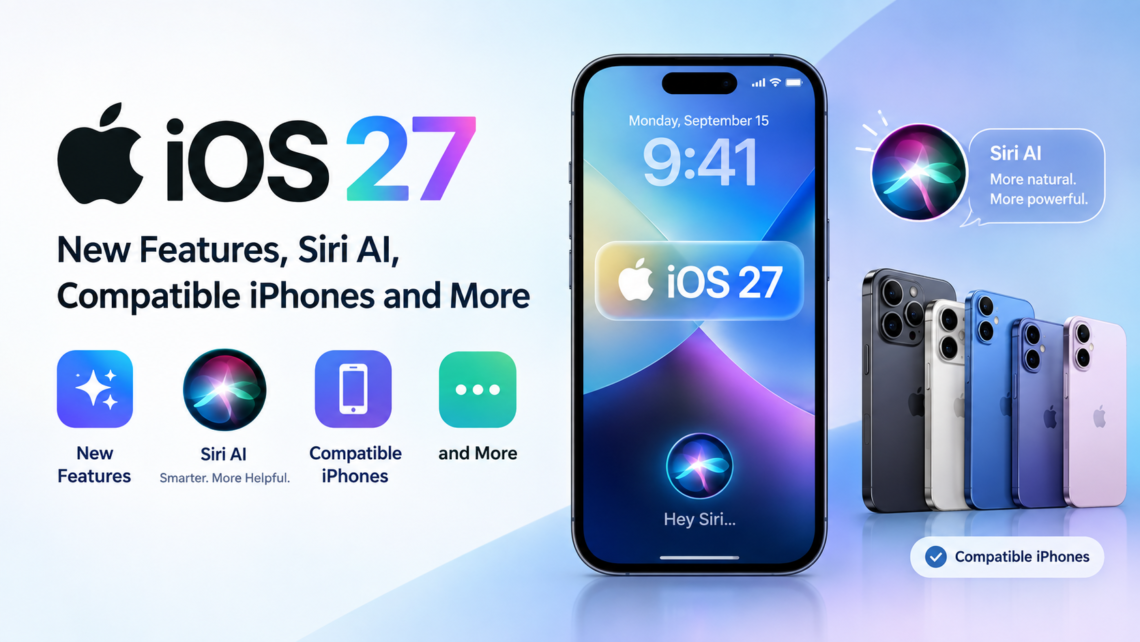
iOS 27 is available from September 14, 2026, for compatible iPhones. The update’s biggest addition is Siri AI, a more conversational version of Siri powered by Apple Intelligence. It can understand personal context, work with information on your screen, answer broader questions, and take actions across supported apps. Siri AI is currently rolling out as a beta in English.
The iOS 27 update supports specific iPhone models from the iPhone 11 family onward, along with the iPhone SE (2nd and 3rd generations). However, Siri AI requires an Apple Intelligence-enabled iPhone, including the iPhone 15 Pro, iPhone 15 Pro Max, and iPhone 16 models or later, with Siri and the device language set to a supported language.
So, while many older iPhones can install iOS 27, the most advanced Apple Intelligence features depend on the iPhone model, language, and region.
What Is iOS 27?
iOS 27 is Apple’s 2026 major software update for the iPhone. It introduces Siri AI and expands Apple Intelligence into more parts of the iPhone experience.
Apple has focused this release heavily on making Siri more conversational and useful. Siri AI can understand personal context, use onscreen information and perform actions across supported apps. A new dedicated Siri app also lets users revisit previous conversations.
But Siri is not the only change. iOS 27 also adds new AI-powered features to Photos, Camera, Safari, writing tools and other parts of iOS.
The update also includes broader improvements to system performance, search, design and everyday iPhone experiences.
iOS 27 Release Date
Apple released iOS 27 on September 14, 2026.
The update became available as part of Apple’s latest software releases across its product lineup. Apple had previously previewed iOS 27 and its new Apple Intelligence capabilities at WWDC26 in June.
Siri AI launched as a beta feature in English. Apple said additional language support, including French, Japanese, Korean, Portuguese and Spanish, was planned for October.
Because some Apple Intelligence features depend on language, region and device hardware, not every iPhone will get the same iOS 27 experience.
iOS 27 Compatible iPhones
One of the most important things to understand about iOS 27 is that software compatibility and feature compatibility are not the same thing.
Apple officially lists iOS 27 as compatible with the following iPhone models:
| iPhone model | iOS 27 | Siri AI |
| iPhone 11 series | Yes | No |
| iPhone 12 series | Yes | No |
| iPhone 13 series | Yes | No |
| iPhone 14 series | Yes | No |
| iPhone 15 / 15 Plus | Yes | No |
| iPhone 15 Pro / Pro Max | Yes | Yes |
| iPhone 16 series | Yes | Yes |
| iPhone 16e | Yes | No |
| iPhone 17 series | Yes | Yes |
| iPhone Air | Yes | Yes |
| iPhone 18 Pro / Pro Max | Yes | Yes |
| iPhone SE (2nd generation) | Yes | No |
| iPhone SE (3rd generation) | Yes | No |
Apple’s official iOS 27 compatibility list includes supported models from the iPhone 11 family onward, iPhone Air, iPhone 17e, iPhone 18 Pro and iPhone 18 Pro Max, as well as the iPhone SE (2nd and 3rd generations).
For Siri AI, Apple requires an Apple Intelligence-enabled iPhone 15 Pro, iPhone 15 Pro Max or iPhone 16 model or later, with Siri and the device language set to a supported language
Why don’t all iOS 27 iPhones get Siri AI?
Apple Intelligence relies on hardware capable of running the required AI models and processing workloads.
That means an iPhone 11 can run iOS 27, but it does not have access to the full Apple Intelligence experience available on newer supported hardware.
This is an important difference when deciding what the iOS 27 update actually means for your particular iPhone.
What Are the New Siri AI Features in iOS 27?
Siri AI is the biggest change in iOS 27. Apple has rebuilt Siri around Apple Intelligence to make it more conversational and capable.
Here are the main iOS 27 Siri AI features.
Personal Context
Siri AI can use information stored across supported apps to help answer questions.
For example, you can ask Siri to find a particular photo, locate information in an email or search your messages and other supported personal information.
Onscreen Awareness
Siri AI can understand what is currently displayed on your iPhone.
This means you can ask questions about information you’re viewing without having to manually copy and paste it into another app.
Actions Across Apps
Siri AI can perform certain actions across supported apps.
Apple gives examples such as adding ingredients to a grocery list, creating calendar events, drafting emails, editing and sharing photos, and performing other actions across supported apps.
Broader World Knowledge
Siri AI can answer questions on a much wider range of topics and can use online information to provide current answers.
This moves Siri beyond its traditional role of handling simple commands such as setting alarms, making calls or checking the weather.
A Dedicated Siri App
iOS 27 introduces a dedicated Siri app where conversations can be viewed and revisited.
You can start a conversation on one Apple device and continue it on another supported device.
Write With Siri
Siri AI can also help with writing.
You can ask it to draft something, rewrite existing text, proofread it or provide feedback. Apple says it can also help adjust writing style and tone.
What Apple Intelligence Features Come With iOS 27?
Siri AI is only one part of the iOS 27 Apple Intelligence experience.
Apple has expanded AI-powered features across several parts of the iPhone.
Smarter Photos Editing
Photos gets new AI-powered editing tools, including Spatial Reframing and an upgraded Clean Up feature.
Spatial Reframing lets you change the composition of a photo by adjusting the way the image is framed. Clean Up can help remove unwanted elements from photos.
Visual Intelligence in Camera
iOS 27 brings Siri mode to Camera, allowing users to point their iPhone at something and ask questions about what they see.
Visual Intelligence can help identify information around you and provide relevant answers or actions.
Intelligence in Screenshots
Apple Intelligence can also work with information displayed on your screen.
On supported Apple devices, Visual Intelligence can analyse selected onscreen content or screenshots and help answer questions about it. Availability depends on the device and operating system.
Apple Intelligence for Writing
Writing tools become more closely integrated with Siri AI.
You can ask Siri to generate a draft, rewrite text, proofread it or adjust its style.
Smarter Shortcuts
Apple is also using its foundation models to make Shortcuts more intelligent.
Instead of manually building every part of a shortcut, users can describe what they want and use Apple Intelligence to help create it.
What Are the Biggest iOS 27 Changes?
Beyond Siri AI, iOS 27 includes several changes across the iPhone experience.
Photos
The Photos app gains new AI-powered editing capabilities, including Spatial Reframing and improvements to Clean Up.
Safari
Safari gets new AI-powered features designed to make browsing more useful. Apple says Safari can organise tabs by topic and notify users about changes to webpages, such as price changes.
Camera
Siri mode and Visual Intelligence are now integrated into the Camera experience, allowing users to ask questions about things they see through the viewfinder.
Writing
Siri AI can help users draft, rewrite and improve text directly within supported writing experiences.
Design and Performance
Apple has also made broader changes to system design and performance, with improvements across areas such as memory use, search, display rendering and CPU utilisation.
Child Safety
iOS 27 also introduces additional child safety features designed to give parents more tools for managing children’s experiences on Apple devices.
iOS 27 Apple Intelligence: What Are the Requirements?
Apple Intelligence is not available on every iPhone that can run iOS 27.
Apple currently lists the following iPhones for Apple Intelligence:
- iPhone 15 Pro
- iPhone 15 Pro Max
- iPhone 16 models
- iPhone 17 models
- iPhone Air
- iPhone 18 models and later supported models
Siri AI also requires a supported language and compatible device. Apple says some features may vary by region and language.
This is why two iPhones running the same iOS 27 update can have different feature sets.
Is Siri AI Available Everywhere?
No. Siri AI availability depends on region and language.
Apple says Siri AI is currently rolling out in beta in English. Support for French, Japanese, Korean, Portuguese and Spanish is planned for October.
Apple also says Siri AI is not initially available on iOS, iPadOS and watchOS in the European Union.
Some Apple Intelligence features are also unavailable in certain regions because of local requirements and regulations.
So, even if your iPhone supports the hardware requirements, the feature set can still depend on your language and location.
How to Download and Install iOS 27
The iOS 27 download is available through the Software Update section of your iPhone.
Follow these steps:
- Open Settings.
- Tap General.
- Select Software Update.
- Wait for your iPhone to check for available updates.
- If iOS 27 is available, tap Download and Install.
- Follow the instructions shown on the screen.
Apple’s support documentation confirms this is the standard way to update an iPhone to the latest compatible iOS version.
Before installing a major software update, it is sensible to keep your iPhone connected to power and make sure you have a recent backup.
Should You Update Your iPhone to iOS 27?
Whether you should update depends partly on your iPhone model and the features you want to use.
If you have an Apple Intelligence-compatible iPhone, iOS 27 gives you access to Siri AI and the newer Apple Intelligence features.
If you have an older compatible iPhone, you can still install iOS 27, but you will not get Siri AI and some other hardware-dependent features.
It is therefore worth checking the iOS 27 supported devices list before expecting every new feature to appear on your iPhone.
What Are the Limitations of Siri AI?
Siri AI is a major change, but Apple currently describes it as a beta feature.
There are also some limitations:
- Siri AI initially supports English.
- Availability varies by region.
- Compatible hardware is required.
- Some Apple Intelligence features have usage limits.
- Some features depend on the language and region selected on the device.
- Certain advanced features may require newer iPhone models.
Apple says certain server-based Apple Intelligence features can have daily usage limits. It also says expanded access to these features will be available for a fee in the future.
This means Siri AI should be viewed as an evolving part of iOS 27 rather than a completely finished replacement for every existing Siri capability.
Frequently Asked Questions
What is new in iOS 27?
The biggest addition is Siri AI, a more conversational Apple Intelligence-powered assistant. iOS 27 also adds new Photos editing tools, Visual Intelligence features, smarter Safari capabilities, writing tools and broader system improvements.
Which iPhones support iOS 27?
iOS 27 supports the iPhone 11 and newer models, along with the iPhone SE (2nd generation) and iPhone SE (3rd generation).
Which iPhones support Siri AI?
Siri AI requires an Apple Intelligence-enabled iPhone. Apple currently lists the iPhone 15 Pro, iPhone 15 Pro Max and iPhone 16 models or later as supported iPhones.
How do I update to iOS 27?
Go to Settings > General > Software Update. If iOS 27 is available for your iPhone, select Download and Install.
Is Siri AI free?
Siri AI is included with compatible iOS 27 devices, but Apple says some Apple Intelligence features have daily usage limits. The company also says expanded access to certain server-based features will be available for a fee in the future.
Is Siri AI available everywhere?
No. Siri AI is initially rolling out in English, and availability also varies by region. Apple says Siri AI is not initially available on iOS, iPadOS and watchOS in the European Union.
Does iOS 27 slow down older iPhones?
Apple has not stated that iOS 27 deliberately slows older supported iPhones. However, feature availability varies by model, and older iPhones do not support Apple Intelligence and Siri AI.
Is iOS 27 worth downloading?
The answer depends on your iPhone model and which features you want. Compatible newer iPhones can access Apple Intelligence and Siri AI, while older supported models receive iOS 27 without those hardware-dependent features.
Final Take
iOS 27 is more than a routine iPhone software update. Siri AI is the headline change, but Apple’s latest release also brings Apple Intelligence deeper into Photos, Camera, Safari, writing and other everyday experiences.
The biggest thing to remember is that not every iPhone gets the same iOS 27 experience. The update supports a wide range of devices, starting with the iPhone 11, but Siri AI and Apple Intelligence require newer compatible hardware.
If you’re checking whether your iPhone can use a particular iOS 27 feature, look at the device, language and regional requirements, rather than simply checking whether the phone can install the update.