Quick Answer
Samsung’s One UI 9 rollout began on September 16, 2026, with the Galaxy S26 series and is expanding to more Galaxy devices in stages.
It debuted with the new Galaxy Z Fold8 Ultra, Galaxy Z Fold8 and Galaxy Z Flip8 before Samsung began expanding the update to the Galaxy S26, S26+ and S26 Ultra on September 16, 2026.
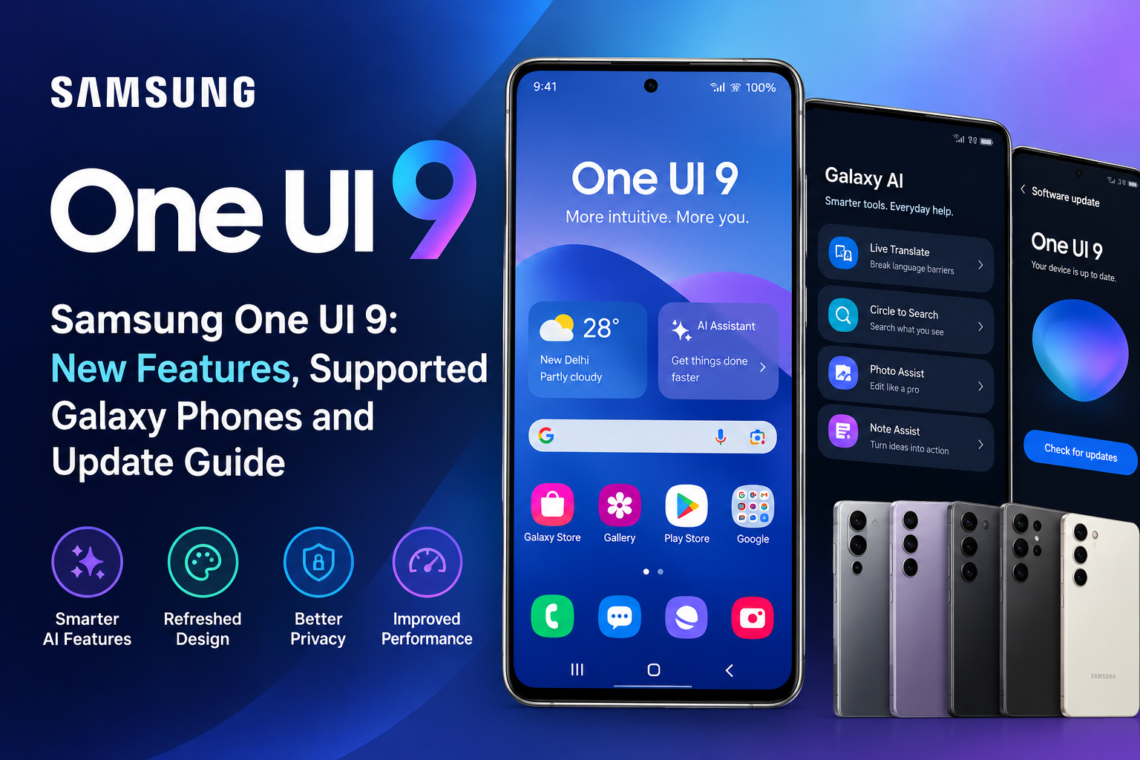
The update is based on Android 17 and expands Galaxy AI, contextual assistance and security-related features. New features include My FanCam, customizable Now Brief cards, Now Nudge, Privacy Alerts, Security Brief and improved document scanning.
Samsung has confirmed that One UI 9 will gradually expand to more Galaxy devices. However, the company has not published one single master list covering every supported phone and the exact rollout date for each model. Samsung recommends checking the Samsung Members app for device-specific compatibility.
One UI 9 Rollout Timeline
Samsung is releasing One UI 9 in phases instead of sending it to every Galaxy device simultaneously.
July 2026: One UI 9 debuts on new foldables
One UI 9 debuted on the Galaxy Z Fold8 Ultra, Galaxy Z Fold8 and Galaxy Z Flip8 before the wider rollout began.
These devices introduced the new One UI 9 experience alongside Samsung’s latest foldable hardware.
September 16, 2026: Galaxy S26 rollout begins
Samsung started the official expansion of One UI 9 on September 16, beginning with the Galaxy S26, Galaxy S26+ and Galaxy S26 Ultra. Samsung says the rollout will expand to additional markets and devices in stages.
September 2026 onward: More Galaxy devices
Samsung says One UI 9 will gradually reach additional Galaxy devices.Samsung’s beta programme included selected Galaxy Z Fold7, Galaxy Z Flip7, Galaxy S25-series and Galaxy S25 FE devices in selected markets. Beta availability should not be treated as confirmation of the final stable rollout schedule.
Samsung has not provided a universal date for every eligible Galaxy model. Rollout timing can vary by device, country and carrier.
So, if your phone has not received the One UI 9 update yet, that does not automatically mean it is unsupported.
What Is New in One UI 9?
One UI 9 is not just a visual update. Samsung is using the release to expand Galaxy AI, make contextual suggestions more useful and add new security and device-care tools.
Here are the main One UI 9 new features.
Galaxy AI Gets More Context-Aware
Several of the biggest changes are designed around Galaxy AI.
Instead of requiring users to open a dedicated AI tool, One UI 9 can surface suggestions based on what they are doing.
My FanCam
My FanCam can automatically track a person selected from a recorded video and keep them centered as the scene changes.
For example, you could record a group performance and later select one person. My FanCam can reframe the footage around that person, reducing the need for manual video editing.
Samsung says My FanCam requires a Samsung Account, and availability can vary depending on the video and device. The feature also cannot work when there is no suitable subject to track.
Now Brief Gets Custom Cards
One UI 9 makes Now Brief more customizable through new Generative and Editable Cards.
Users can create or customise cards around information such as:
- Weather
- Health
- Video
This lets users decide more directly what information appears in their daily brief instead of relying only on a fixed set of content.
Samsung notes that Now Brief features can vary by country, region, language, device model and app.
Now Nudge
Now Nudge provides context-aware suggestions based on what you are doing.
For example, while making plans in a supported messaging app, it can surface relevant suggestions or help users take the next step without leaving the conversation
Samsung says Now Nudge works with certain messaging apps and that supported functions vary by region, language and device.
Call Brief
Call Brief is available on selected compatible Galaxy devices, but it should not be presented as a feature available on every One UI 9 phone.
It can display relevant information on the call screen, such as a related calendar event or the local time of the person you are calling.
Samsung has not highlighted Call Brief in its main September rollout announcement, so it is better to treat device-level availability separately from the core One UI 9 feature list. Current testing and compatibility reports show the feature on selected recent Galaxy flagships and foldables.
Privacy and Security Get More Attention
Samsung is also using One UI 9 to make security information easier to notice.
Privacy Alerts
Privacy Alerts use on-device AI to identify potential privacy risks.
Samsung says the feature can provide users with greater visibility into potential privacy risks and how apps access information.
Samsung says feature availability can vary by device, country, region, language and software version. Do not treat Privacy Alerts availability as confirmation that every listed device has received the complete One UI 9 update
Importantly, this is feature availability, not a blanket confirmation that every listed device has received the complete One UI 9 stable update.
Security Brief
Security Brief brings important security and privacy information into Now Brief.
It can surface alerts related to:
- Malware
- Apps from unknown sources
- Unnecessary permissions
The idea is to make potential security issues easier to spot without requiring users to dig through multiple settings menus.
Scam Detection
Samsung is also expanding Scam Detection to additional markets and languages.
Samsung says Scam Detection is expanding to additional markets and languages, but availability can vary by country, language, device and software version.
More Useful Everyday Tools
The One UI 9 update also adds improvements beyond Galaxy AI.
Warranty and Care
Samsung is bringing more device-support functions directly into Settings through Warranty and Care.
Users can access options such as:
- Warranty information
- Device self-diagnostics
- Repair estimates
- Samsung Care+
- Service appointment booking
The available options can differ depending on the country and device.
Creative Studio
Creative Studio can now suggest image-generation ideas based on upcoming events.
For example, Samsung says it can suggest an image or greeting concept when a friend’s birthday is approaching.
Interpreter
The Interpreter app gets a new Thread View.
This helps users follow translated conversations by making earlier exchanges easier to reference. Samsung also says Conversation Mode translation and playback with compatible Galaxy Buds have been improved.
Document Scan
One UI 9 improves Document Scan for difficult-to-scan materials.
It can handle documents such as curved book pages and corner-folded papers with less manual adjustment.
Compatible large-screen Galaxy devices also get optimized views, while Finger Eraser has been improved for cleaner scans.
Voice Recorder
Voice Recorder can now present generated summaries in a more structured format.
Instead of a long block of text, summaries can use elements such as:
- Headings
- Tables
- Structured sections
This can make long recordings easier to review.
Which Samsung Phones Get One UI 9?
This is where it is important to separate confirmed rollout information from expected eligibility.
Samsung’s rollout announcement says One UI 9 will expand to more Galaxy devices, but it does not provide one permanent master list covering every model and rollout date. It does not provide one permanent master list covering every Galaxy model.
Devices with One UI 9 already available or introduced
| Galaxy device | One UI 9 status |
| Galaxy Z Fold8 Ultra | Debuted with One UI 9 |
| Galaxy Z Fold8 | Debuted with One UI 9 |
| Galaxy Z Flip8 | Debuted with One UI 9 |
| Galaxy S26 | Rollout began September 16 |
| Galaxy S26+ | Rollout began September 16 |
| Galaxy S26 Ultra | Rollout began September 16 |
Samsung’s September announcement confirms the S26 series as the starting point for the wider rollout.
Devices reported or listed in Samsung’s One UI 9 beta expansion
Samsung’s September 1 beta announcement included:
- Galaxy Z Fold7
- Galaxy Z Flip7
- Galaxy S25
- Galaxy S25+
- Galaxy S25 Ultra
- Galaxy S25 FE
The beta was available in selected markets, including India, Korea, the UK and the US.
However, beta availability should not be treated as the same thing as the final stable rollout date.
What about Galaxy S24 and S23?
Samsung has not published a single official One UI 9 master list confirming the stable rollout schedule for every older Galaxy model.
Reports and testing references indicate possible One UI 9 compatibility for the Galaxy S24 and S23 series, but Samsung has not published a complete stable rollout list for these models. However, the availability of individual Galaxy AI features differs considerably between generations.
This distinction matters because a phone can receive One UI 9 without receiving every new Galaxy AI feature.
What about Galaxy A phones?
One UI 9 testing has reportedly appeared on several newer Galaxy A-series models, but testing references should not be treated as Samsung’s final stable rollout list.
These testing references should not be presented as Samsung’s final stable rollout list unless Samsung officially confirms the model.
For the most accurate answer for your phone, Samsung recommends checking the Samsung Members app and the Software Update section on the device itself.
One UI 9 Eligibility vs Galaxy AI Eligibility
Getting the Samsung One UI 9 update does not automatically mean your phone gets every new Galaxy AI feature.
This is one of the most important points to understand about the update.
For example, current compatibility testing reported by SamMobile shows that the newer S24, S25 and S26 series support more of the headline One UI 9 AI features, while some older models receive the operating-system update without those specific AI additions.
The same applies to FE models and older foldables.
Samsung also states that feature availability can vary by:
- Device model
- Country
- Region
- Language
- Carrier
- Supported apps
So the One UI 9 supported devices list and the One UI 9 Galaxy AI supported devices list should not be treated as identical.
How to Update Samsung Phone to One UI 9
If the update is available for your Galaxy phone, you can install it directly through Settings.
Steps to install One UI 9
- Open Settings on your Galaxy phone.
- Tap Software update.
- Select Download and install.
- Check whether an update is available.
- If One UI 9 appears, follow the on-screen instructions.
- Allow the phone to restart and complete the installation.
Samsung’s standard update process uses Settings > Software update > Download and install. Available features and update timing can vary by device, carrier and region.
How to Check One UI 9 Eligibility
If you cannot see the update, do not immediately assume your phone is unsupported.
Try these steps:
Check Software Update
Go to Settings > Software update > Download and install.
Check Samsung Members
Samsung recommends the Samsung Members app for checking compatibility and update information.
Check your region
Samsung’s rollout can vary between countries and carriers.
Check your exact model
Different variants of the same Galaxy phone can receive updates at different times.
Do You Need to Download One UI 9 Manually?
For most users, there is no reason to look for a separate One UI 9 download file.
The recommended method is to install the update through the built-in Software Update option on your Galaxy device.
If One UI 9 is not showing yet, the update may simply not have reached your model, region or carrier.
Samsung is rolling the software out gradually, so availability can change over time.
What to Do Before Installing One UI 9
Before installing a major software update, it is worth taking a few precautions.
Back up important data
Back up important photos, documents and other files before starting the installation.
Charge your phone
Make sure your Galaxy phone has enough battery before beginning the update.
Use a stable connection
A stable Wi-Fi connection can help with downloading a large software update.
Free up storage
Check that your phone has enough available storage for the update and installation process.
One UI 9 FAQs
When did One UI 9 release?
Samsung began the wider official rollout of One UI 9 on September 16, 2026, starting with the Galaxy S26, S26+ and S26 Ultra. The software had already debuted with the Galaxy Z Fold8 Ultra, Z Fold8 and Z Flip8.
Which Samsung phones get One UI 9?
Samsung has confirmed the Galaxy S26 series for the initial rollout and says One UI 9 will gradually expand to more Galaxy devices. The Z Fold8 Ultra, Z Fold8 and Z Flip8 debuted with the software. Samsung’s beta programme also included selected Galaxy S25-series, Galaxy Z Fold7 and Galaxy Z Flip7 models, but beta availability does not confirm the final stable rollout date.
What are the main One UI 9 Galaxy AI features?
Major Galaxy AI additions include My FanCam, customisable Now Brief cards and Now Nudge. Samsung says availability varies by device and region. Call Brief is also available on selected compatible devices.
Does every One UI 9 phone get the same Galaxy AI features?
No. Galaxy AI features can vary by device, region, language and other requirements. Some older Galaxy devices can receive One UI 9 without supporting all of the newer AI features.
How do I update my Samsung phone to One UI 9?
Go to Settings > Software update > Download and install. If the update is available for your device, you can follow the on-screen instructions to install it.
Why haven’t I received the One UI 9 update yet?
Samsung is rolling out One UI 9 in phases. Your device model, region, carrier and software version can affect when the update becomes available.
Will older Galaxy phones get One UI 9?
Some older Galaxy devices are expected to receive the update, but Samsung has not published one complete permanent master list covering every model. The safest way to check is through Software Update or Samsung Members.
Will the Galaxy S23 get all the new One UI 9 AI features?
Not necessarily. Current compatibility reporting indicates that some newer Galaxy AI features are not available on the Galaxy S23 series even where One UI 9 itself is supported.
Bottom Line
Samsung One UI 9 is a software update built around three major themes: Galaxy AI, contextual assistance and stronger privacy and device management tools.
Features such as My FanCam, customisable Now Brief cards and Now Nudge make the update more context-aware, while Samsung’s privacy and security tools aim to make potential risks easier to notice.
The rollout is already underway, but it is not reaching every Galaxy phone at the same time. Samsung is expanding One UI 9 gradually, and device, region and carrier can all affect availability.
For now, the most reliable way to check whether your phone is ready is to open Settings > Software update > Download and install or check the Samsung Members app.
And remember: getting One UI 9 does not necessarily mean getting every new Galaxy AI feature. Feature availability depends on the specific Galaxy device and market.